The $45,000 Problem Most People Ignore

Here's what nobody tells you about working from home: your kitchen table setup is slowly destroying your body. Every day you work with poor ergonomics adds up to permanent damage that becomes expensive to fix later.

I learned this the hard way. After 6 months of "temporary" work-from-home on a dining chair, I had:

  • Chronic lower back pain that woke me up at night
  • Tension headaches from looking down at my laptop
  • Numb fingers from poor wrist positioning
  • $3,200 in physical therapy bills

This guide contains everything I learned from 2 physical therapists, 1 occupational health specialist, and 18 months of trial and error. It's designed to prevent you from making the same expensive mistakes.


The 5-Minute Ergonomics Assessment

Before we fix anything, let's identify your current setup problems. Sit at your workspace and answer these questions:

Quick Self-Assessment Checklist

  • □ Are your feet flat on the floor (not dangling)?
  • □ Are your knees at 90-degree angles?
  • □ Is your back supported by your chair?
  • □ Are your elbows at 90-degree angles while typing?
  • □ Is your monitor top at or below eye level?
  • □ Are you looking straight ahead (not down) at your screen?
  • □ Are your wrists straight while typing?
  • □ Can you reach your mouse without extending your arm?

Score: Less than 6 checkmarks = High injury risk. Less than 4 = You need immediate changes.


The Perfect Workspace Setup (Step-by-Step)

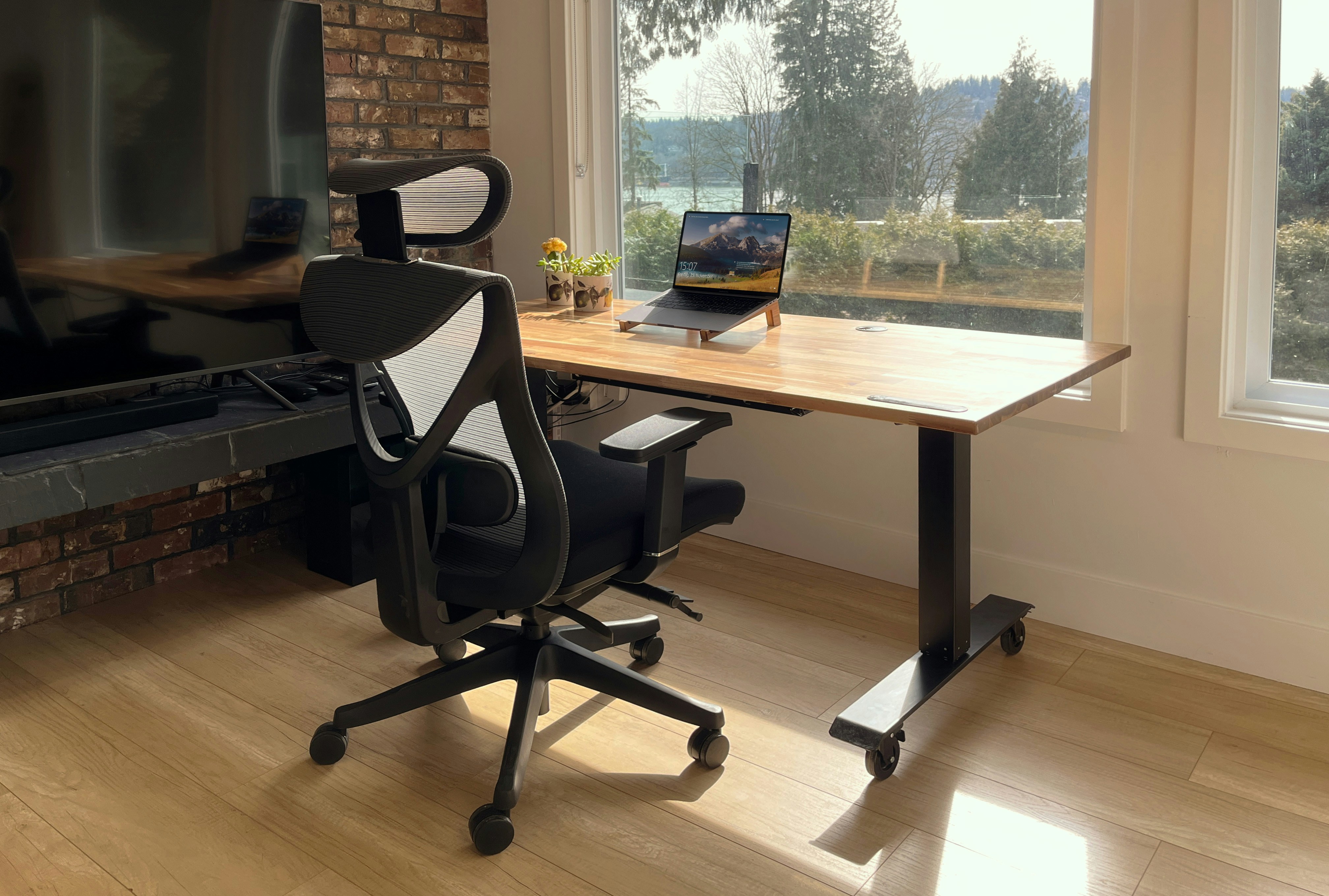
1. Chair Position (Foundation of Everything)

Proper Chair Height

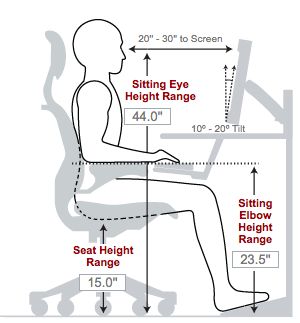
Seat Height:

  • Adjust so your feet are flat on floor
  • Knees at 90-110 degree angles
  • If too high: use footrest ($15-25 on Amazon)
  • If too low: add seat cushion ($20-30)

Lumbar Support:

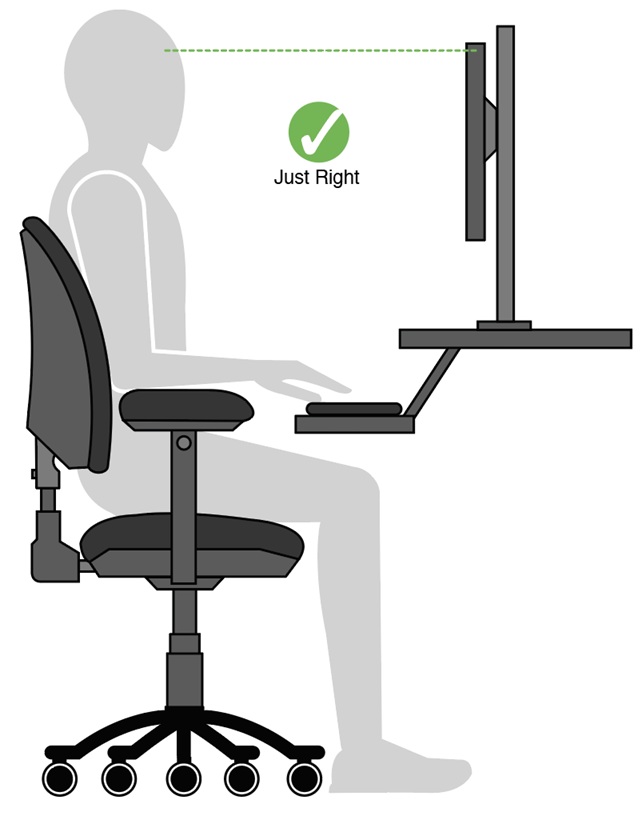
  • Lower back should touch chair back
  • Curve should support your natural spine arch
  • Add lumbar pillow if your chair lacks support ($25-40)

Armrest Position:

  • Elbows at 90 degrees when typing
  • Shoulders relaxed (not hunched up)
  • Arms should "float" over keyboard, not rest on armrests while typing

2. Monitor Positioning (Prevent Neck Strain)

Monitor Height Guide

Height Rules:

  • Top of screen at or slightly below eye level
  • Look straight ahead, not down
  • Laptop users: get external monitor or laptop stand + external keyboard

Distance:

  • 20-26 inches from your eyes
  • Arm's length is usually perfect
  • Larger screens can be slightly farther

Quick Fixes:

  • Stack books under monitor to raise height
  • Monitor arm for perfect positioning ($30-60)
  • Laptop stand + external keyboard ($40 total)

3. Keyboard and Mouse Setup

Keyboard Position:

  • Elbows at 90 degrees while typing
  • Wrists straight, not bent up or down
  • Keyboard at same level as elbows
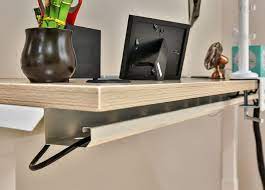
  • Use keyboard tray if desk too high ($25-40)

Mouse Positioning:

  • Same level as keyboard
  • Close to keyboard (no reaching)
  • Wrist straight while clicking
  • Consider ergonomic mouse if you use it heavily ($30-50)

Budget Solutions for Common Problems

Problem: "My desk is too high"

Solutions:

  • Keyboard tray: $25-40 (Amazon Basics has good options)
  • Adjustable height desk riser: $60-100
  • Get taller chair + footrest: $40 total

Problem: "I work on a laptop all day"

Solutions (pick one):

  • Laptop stand + external keyboard/mouse: $45 total
  • External monitor + keep laptop closed: $120-200
  • Laptop arm mount for perfect positioning: $50-80

Problem: "My chair has no lumbar support"

Solutions:

  • Lumbar support cushion: $25-40
  • Memory foam back pillow: $30-50
  • Rolled towel as temporary fix: Free

Problem: "I don't have space for proper setup"

Small Space Solutions:

  • Wall-mounted monitor arm: $40-70
  • Under-desk keyboard tray: $30-50
  • Compact ergonomic accessories: $60-100 total

The 20-20-20 Rule and Movement

Perfect ergonomics mean nothing if you sit in the same position for 8 hours straight. Your body needs movement.

Essential Movement Rules:

  • 20-20-20 Rule: Every 20 minutes, look at something 20 feet away for 20 seconds
  • Hourly Breaks: Stand and walk for 2-3 minutes every hour
  • Position Changes: Adjust your sitting position every 30 minutes
  • Stretches: Neck rolls, shoulder shrugs, back arches throughout the day

Desk Exercises (30 seconds each):

  1. Neck stretches (left, right, up, down)
  2. Shoulder blade squeezes
  3. Seated spinal twists
  4. Ankle circles under desk
  5. Deep breathing (reduces tension)

Warning Signs You Need Immediate Changes

🚨 Stop Everything and Fix Your Setup If You Have:

  • Daily back pain that gets worse during work
  • Headaches that start mid-morning
  • Numbness or tingling in hands/fingers
  • Shoulder pain that shoots down your arm
  • Eye strain that doesn't improve with breaks
  • Difficulty sleeping due to work-related pain

These symptoms compound quickly. Don't ignore them.


Your Complete Ergonomics Shopping List

Essential Items (Total: $85-160)

  • Lumbar support cushion: $25-40
  • Monitor stand or laptop stand: $20-35
  • External keyboard and mouse: $30-60
  • Footrest (if needed): $15-25

Upgrade Items (Total: $150-300)

  • Monitor arm: $50-90
  • Keyboard tray: $40-70
  • Ergonomic mouse: $35-65
  • Document holder: $15-25
  • Task lighting: $25-50

Premium Solutions (Total: $300-600)

  • Height-adjustable desk converter: $150-300
  • High-quality ergonomic chair: $200-400
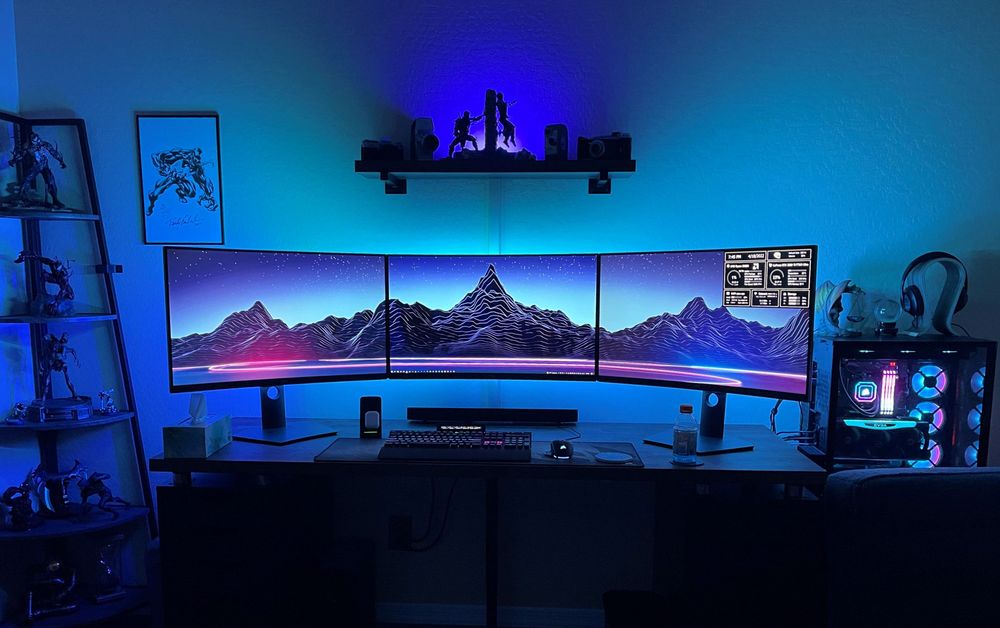
  • Multiple monitor setup: $200-500

💡 Pro Tip: Gradual Implementation

Don't try to fix everything at once. Start with:

  1. Week 1: Fix chair height and lumbar support
  2. Week 2: Adjust monitor height
  3. Week 3: Optimize keyboard/mouse position
  4. Week 4: Add movement reminders

This prevents adjustment overwhelm and helps you identify what makes the biggest difference.


Frequently Asked Questions

How long before I notice improvements?

Most people feel less fatigue within 2-3 days. Pain reduction takes 1-2 weeks for minor issues, 4-6 weeks for chronic problems. If pain increases or doesn't improve after 2 weeks, consult a professional.

Is a standing desk necessary?

No. Proper sitting ergonomics are more important than standing. If you want to try standing, get a desk converter first ($100-200) rather than replacing your entire desk ($300-800).

What about ergonomic keyboards and mice?

Only necessary if you have existing wrist/hand problems or type/click 6+ hours daily. Start with proper positioning of regular peripherals before spending on specialized equipment.

My employer won't pay for ergonomic equipment. Now what?

Many improvements cost under $50. Check if ergonomic expenses qualify for HSA/FSA reimbursement. Some items might be tax-deductible home office expenses. Your health is worth the investment.

Featured Office Setup Guides

Best Budget Office Chairs

Best Office Chairs Under $200

Discover the top 10 ergonomic office chairs that won't destroy your budget. I've tested over 50 chairs to find the perfect balance of comfort, durability, and affordability.

Desk Setup Guide

Perfect Desk Setup Under $300

Transform any space into a productivity powerhouse. Complete guide to choosing the right desk, monitor setup, and accessories for maximum efficiency.

Office Lighting Guide

Home Office Lighting That Prevents Eye Strain

Proper lighting can make or break your workday. Learn the science behind productive lighting and get my exact recommendations for every budget.

Small Space Office

Small Space, Big Productivity

Living in a studio or sharing space? I'll show you how to create a professional office setup in just 25 square feet without compromising on functionality.

Ergonomics Guide

Stop Back Pain From Ruining Your Career

Poor ergonomics cost you thousands in medical bills and lost productivity. Learn the exact positioning and equipment that keeps your body healthy during long work days.
Budget Calculator

Office Budget Calculator

Not sure how much to spend on each component? Use my interactive calculator to optimize your budget allocation and get the most value for your money.